Scan Code > QR Code (Model 2) (Annotate Menu)
|
|
Scan Code > QR Code (Model 2) (Annotate Menu) |
www.CAD6.com |
|
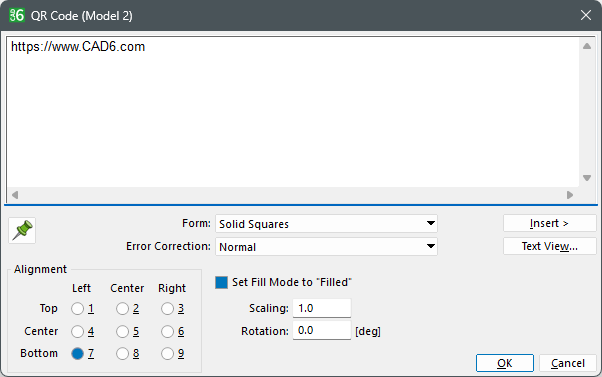
This command is used to create a QR code (Model 2). The default size is 1 millimeter per unit.
Such a QR code is used for many purposes. Some are indicated by a starting keyword such as "https:", "mailto:", or "tel:" in the encoded text.
After specifying the position, a dialog appears to enter the text to be encoded and edit settings.
OptionsHow can I access information on this dialog?
The appearance and functionality of this dialog depends on how many objects have been selected: Why do dialogs differ depending on the number of objects selected?
|
CAD6studio Release 2026.1 - Copyright 2026 Malz++Kassner® GmbH