Scan Code > Data Matrix (ECC200) (Annotate Menu)
|
|
Scan Code > Data Matrix (ECC200) (Annotate Menu) |
www.CAD6.com |
|
This command is used to create a Data Matrix code (ECC200). The default size is 1 millimeter per unit.
Such a Data Matrix code is used for many purposes.
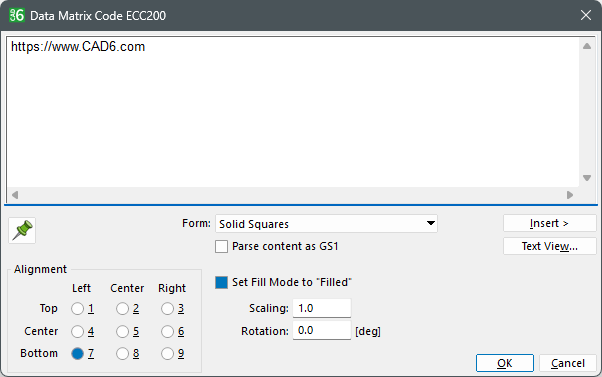
After specifying the position, a dialog appears to enter the text to be encoded and edit settings.
If you use the "Parse content as GS1" option, you can enter the text in "human readable" format with AIs as defined by GS1, such as (01)04012345678905(15)271231(3103)001250. See the following websites for more information: https://www.gs1.org/standards/barcodes and https://ref.gs1.org/
OptionsHow can I access information on this dialog?
The appearance and functionality of this dialog depends on how many objects have been selected: Why do dialogs differ depending on the number of objects selected?
|
CAD6studio Release 2026.1 - Copyright 2026 Malz++Kassner® GmbH